Create covers, posters, character concepts, product visuals, social media images, and inspiration sketches. Generated results go straight onto the canvas for comparison, selection, and reuse.
OpenTu: open-source AI canvas workspace
OpenTu brings AI image generation, prompt reasoning, flowcharts, mind maps, and reusable assets into one browser canvas, so every idea can become a structured workflow you can use online or self-host.
- Open canvas Use it online or self-host your own creative workspace
- AI workflow Connect image generation, prompts, and multimodal tasks
- Structured work Keep diagrams, mind maps, assets, and notes in one place
Turn AI models into a continuous creative workflow
Image models produce visual options. Reasoning models clarify ideas and structure. OpenTu connects both inside the same AI canvas workspace: plan, generate, compare, and organize without losing the creative thread.
Expand prompts, draft copy, break down requirements, plan storyboards, and turn rough ideas into structured content before you move into visual generation.
OpenTu fixes three common creative gaps
AI generation often fails after the output is created: files get scattered, context disappears, and useful assets are hard to reuse. OpenTu keeps generation, organization, and delivery in one flow.
Outputs stay organized
Store prompts, references, candidates, and final versions on one canvas so the path behind each result remains visible.
Ideas become structure
Turn creative directions, scripts, decisions, and task breakdowns into flowcharts or mind maps for clearer execution.
Assets become reusable
Keep generated images, references, screenshots, and project notes ready for the next cover, tutorial, campaign, or presentation.
What you can create with OpenTu
From AI image boards to project planning, OpenTu preserves both process and result. Every image, prompt, note, and revision can become material for the next creative cycle.
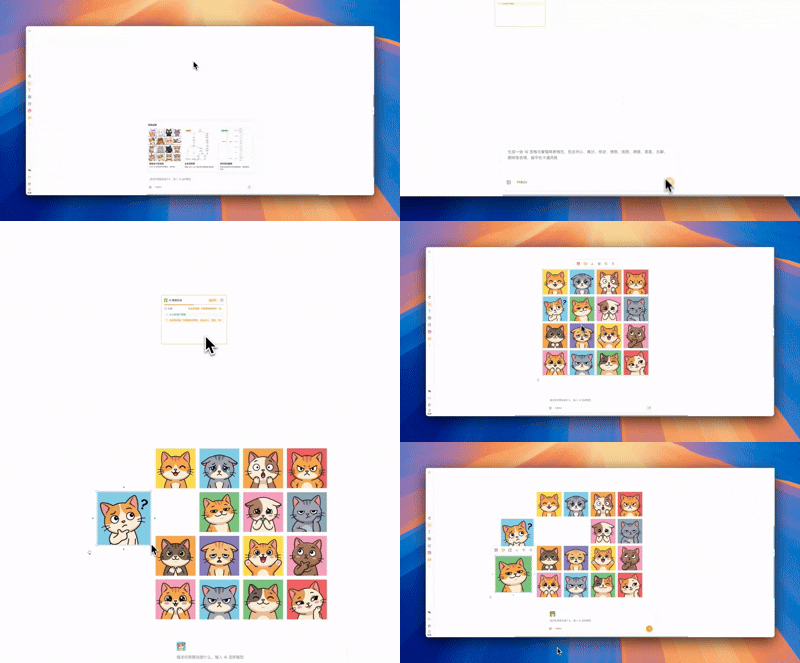
AI image boards
Generate multiple visual candidates, sort them by theme or style, and quickly decide which version is ready to deliver.
Read the AI image guide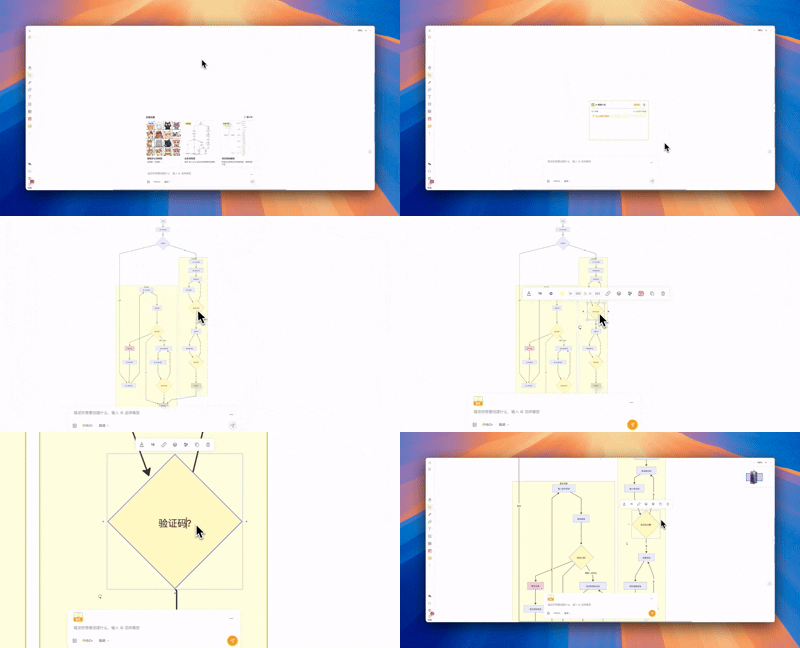
Flowcharts and planning
Convert steps, requirements, and decision paths into clear diagrams that make complex projects easier to understand.
Read the flowchart guide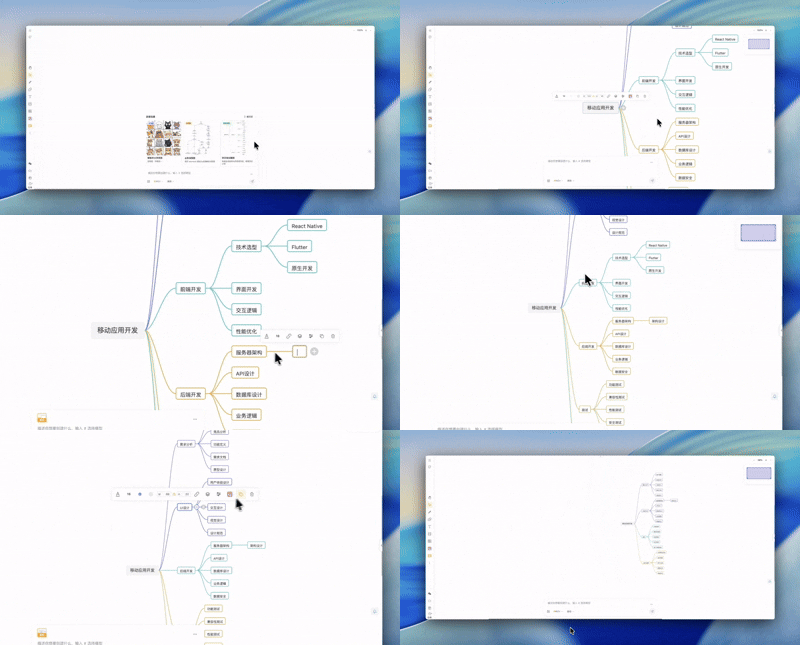
Mind maps and knowledge
Collect prompts, references, model outputs, and final assets in one place to build your own creative knowledge base.
Read the mind map guideStart an OpenTu workflow in three steps
No heavy setup is required. Open the canvas, describe the task, generate results, and organize the outcome into a reusable project.
-
Choose a model and task
Select image, text, or video generation, or connect an OpenAI-compatible model provider for your own workflow.
-
Generate and compare on the canvas
Place generated images, references, notes, and diagrams in the same space so you can compare versions and keep iterating.
-
Organize the final project
Save final images, prompts, design notes, and diagrams together as a project canvas that can be shared or reused.
Frequently asked questions
If you are looking for an AI image generation workspace or an open-source AI whiteboard, these answers cover the basics.
-
How is OpenTu different from a regular AI chat tool?
AI chat tools are great for conversations. OpenTu is built for execution: generated images, prompts, notes, diagrams, and assets stay together on a reusable canvas.
-
What AI image tasks can OpenTu support?
OpenTu is useful for covers, posters, character concepts, product visuals, social media images, inspiration boards, and multi-version visual exploration.
-
How does DeepSeek-v4 fit into OpenTu?
DeepSeek-v4 can help expand prompts, draft copy, break down requirements, plan storyboards, and structure ideas before the results are organized on the canvas.
-
Is OpenTu open source?
Yes. OpenTu is open source and can be self-hosted. You can also use the hosted workspace online and review the source code on GitHub.
Open OpenTu and start your next AI project
Start with one image, one flow, or one idea board. OpenTu keeps model outputs, references, and final work together on the canvas.